
Personal AI keys
01Everyone gets their own key. Revoke one without touching anyone else.
laptopdk_pXKZ…active
ci-runnerdk_8Hq2…active
old-macdk_Lr0w…revoked
Give people AI with personal keys and allowances, put your APIs behind one set of policies, and see every request and every dollar. In your own infrastructure.
00The dashboard
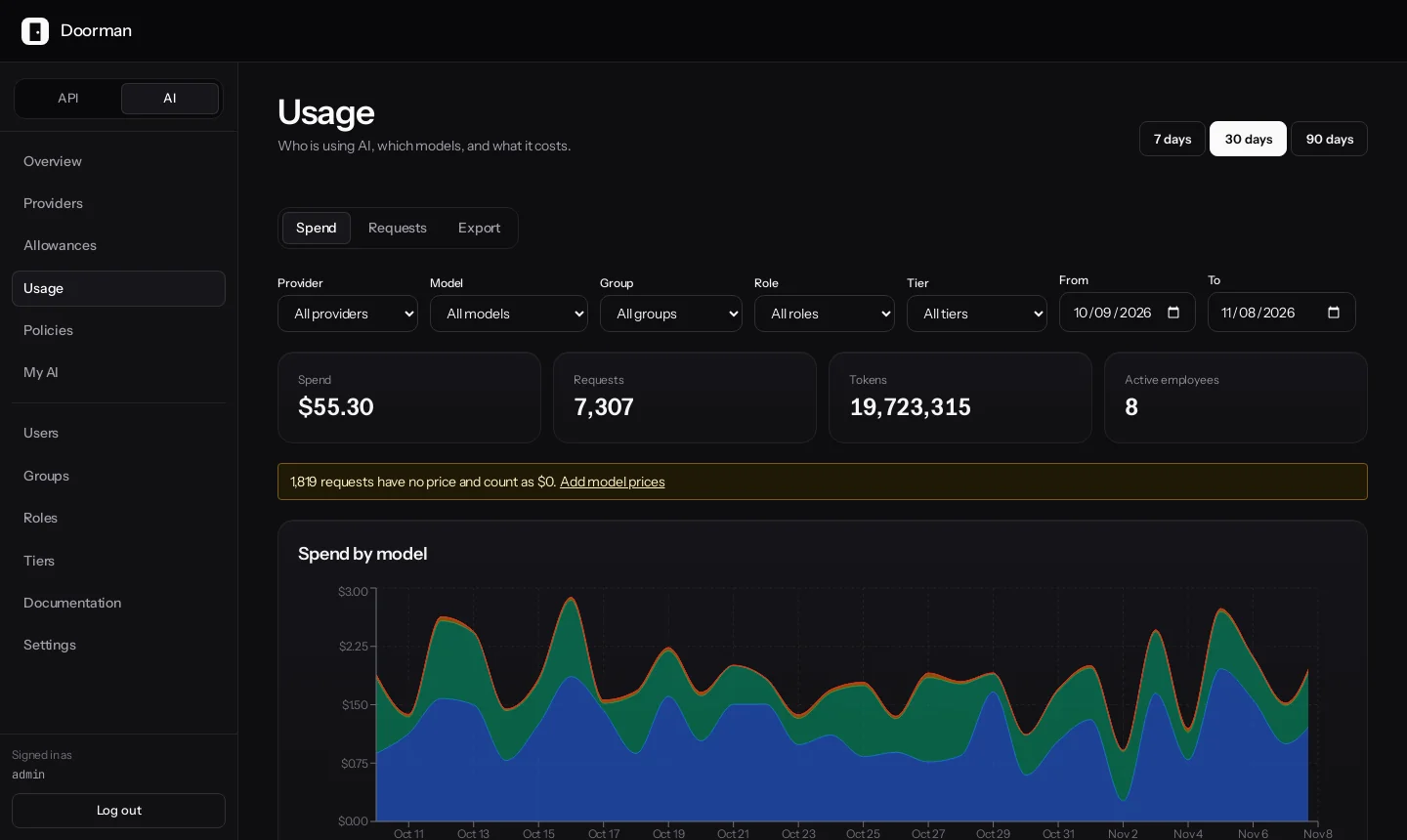
One gateway for
Your cloud account or private network. Provider keys, prompts, and traffic stay with you.
The whole gateway and dashboard, with no license key and no limits on traffic.
The same users, groups, roles, and logs for AI providers and for your APIs.
01Features
Built into the gateway, not bolted on. No extra services, no per-seat pricing.
Everyone gets their own key. Revoke one without touching anyone else.
Per person, team, or tier, in dollars, tokens, or requests. Block, warn, or downgrade.
Support · 429 AI004 · resets Dec 1
See who spent what on which model, and export it for chargeback.
One set of users, roles, and groups across AI providers and APIs.
Throttle callers per API, sell credits, and return clean 429s.
Redact emails, card numbers, and secrets before a prompt leaves your network.
summarise this thread from
[EMAIL] using key
[AWS_KEY] and …
2 redactions · prompt not logged
02How it works
Callers point at Doorman with their own key. Every request is identified, checked against its limits, routed, and recorded, for AI providers and APIs alike.
import os
from openai import OpenAI

client = OpenAI(
    base_url="https://gw.example.com/api/ai/corp-openai/v1/v1",
    api_key=os.environ["DOORMAN_AI_KEY"],  # personal dk_ key
)

# Over the team's allowance:
# 429 {"error_code": "AI004", "budget": "Engineering monthly",
# "period_resets_at": "2026-12-01T00:00:00Z"}03Deploy
The demo runs locally with sample APIs and a built-in AI model, so you can try routing, limits, and usage without a provider key.
git clone https://github.com/doorman-dev/doorman.git
cd doorman && cp .env.demo .env
docker compose -f docker-compose.yml -f docker-compose.demo.yml up --build

# in a second terminal: team allowance, employee key, 4th request blocked
./scripts/demo-ai-walkthrough.shThe full gateway and dashboard in your cloud account or private network. No license key and no traffic limits.
04FAQ
Can't find your answer? The documentation covers setup, operations, and the AI gateway in detail.
Read the documentationYou don't need a migration plan. Start with one service or one team's AI access, see how it runs, and grow from there. We can help you pilot it.